 TimeTracer
See where your time actually goes.
Log activities, see your patterns, and understand where your hours went.
Free to download · No account required
Timeline
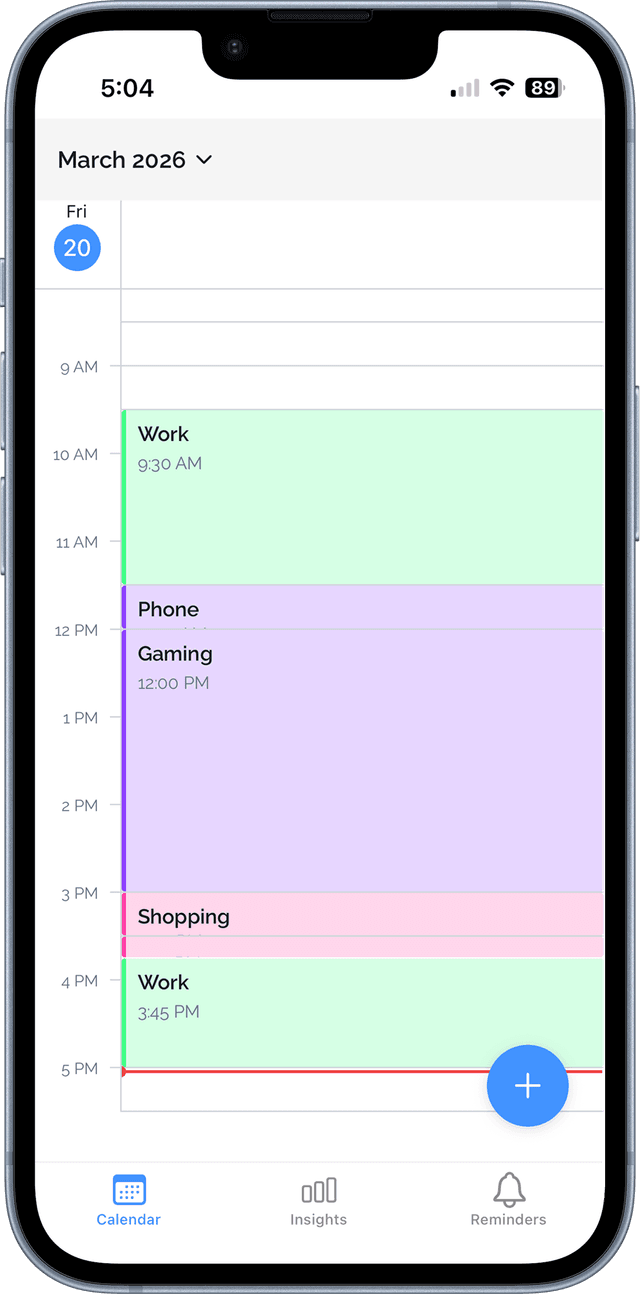
Your day, mapped out visually
See every activity laid out on an interactive timeline. Tap to log, drag to resize, and get a true look at how your day unfolded.
- Log activities in seconds by tapping the timeline
- Drag blocks to adjust start time or duration
- Scroll back through any past day instantly
Insights
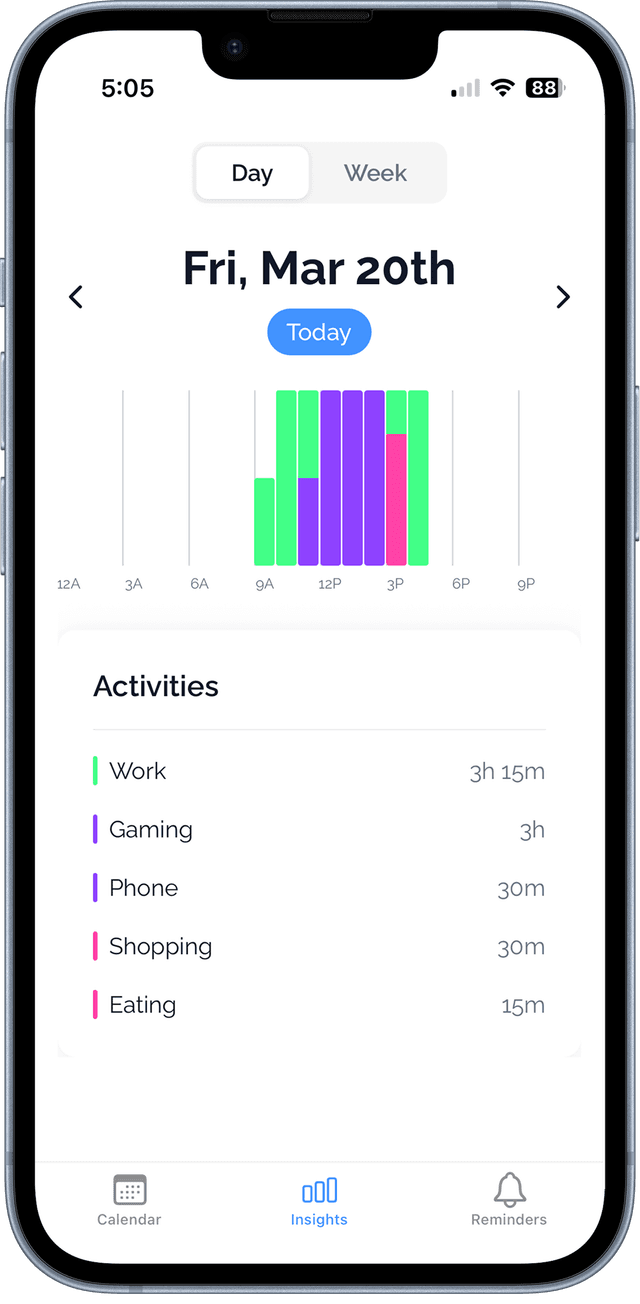
Understand how you spend your time
Daily/Weekly breakdowns show your top activities, how your time is distributed, and how this week compares to the last.
- Daily/Weekly bar chart across all days
- Show when activities are done
- See which activities dominate your week
Notifications
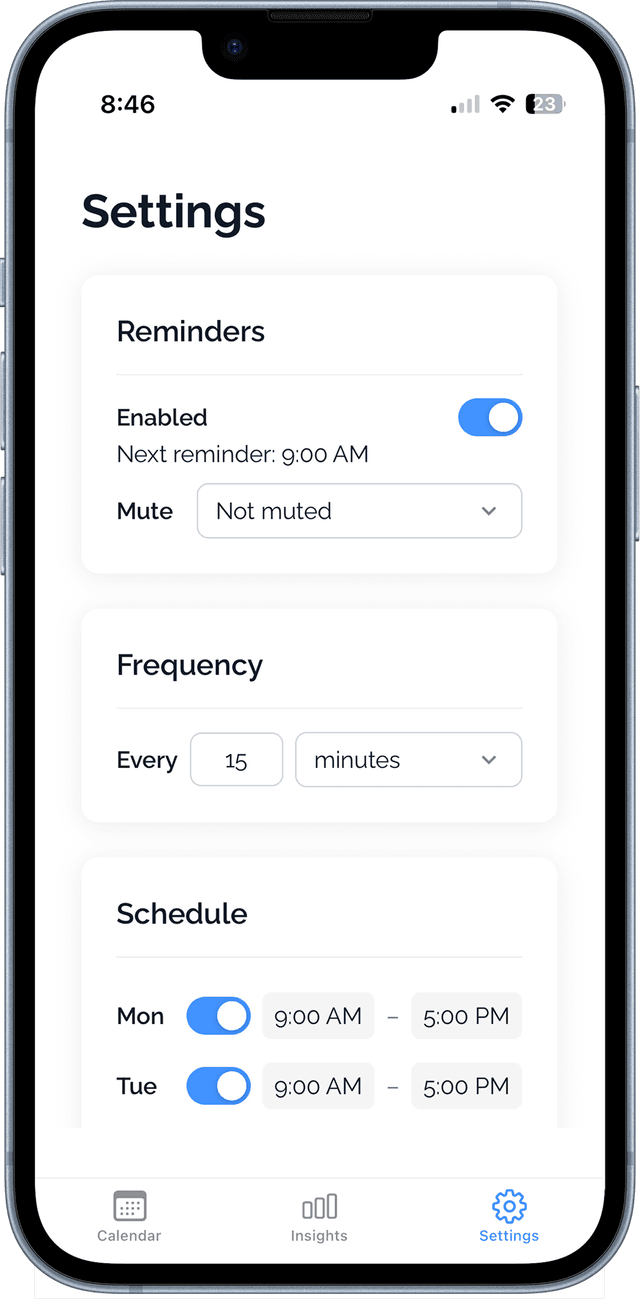
Custom reminders that fit your routine
Set reminders to log at your activities. Fully customizable so they work around you.
- Create reminders at any time of day
- Toggle individual alerts on or off
- Easy to enable/disable
How it works
Up and running in minutes
No setup, no categories to configure. Just open the app and start logging.
Log your activities
Tap the timeline to add what you're doing. Drag to adjust, or long-press to create a new block.
Build your history
Every activity is saved and synced. Scroll back through past days to see exactly how you spent your time.
Understand your patterns
Weekly insights reveal your top activities, where your time actually went, and how your days compare.
Ready to take back your time?
Free to download. Start understanding your day from the moment you open the app.